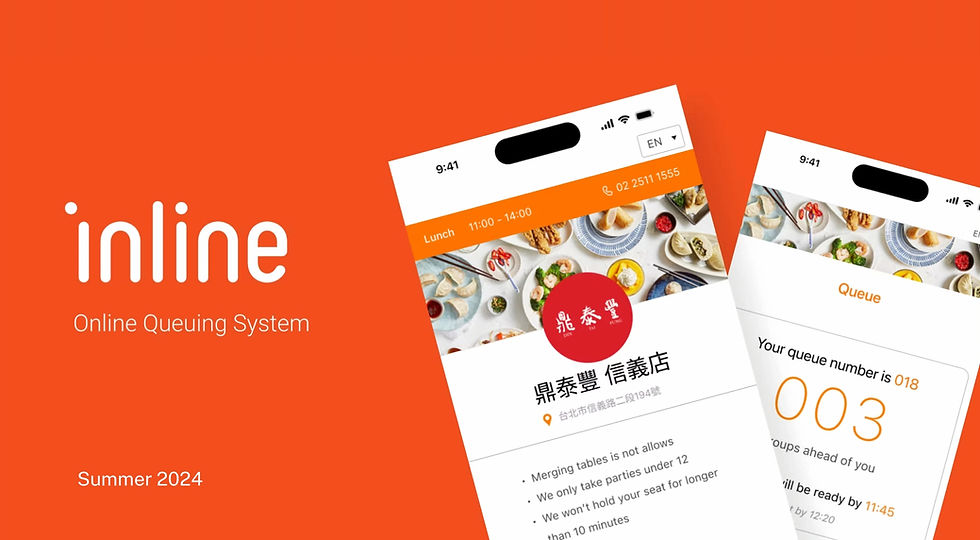
Redesigning a queuing system
Diners could not tell whether they had ten minutes or an hour, so they walked off, missed the call, and lost the table — and the restaurant ate the empty seat. I rebuilt the wait as a promise the restaurant could actually keep.
My Role
UX Designer Intern
I redesigned the diner app and the host tablet on both sides
Team
3
Software Engineering Intern
Product Manager
Duration
2 months
Research through final prototype and handoff
Tools
Figma
Miro board, Figjam, and Notion
Project Summary
PROCESS
Watching the line in real time
On-site observation, host shadowing, competitor teardowns and a heuristic review showed where the flow broke down. Usability tests then compared input and layout options.
OUTCOME
Clearer wait times & faster reservations
Wait times now show before joining, sign-up is faster with a number pad, and pre-ordering cuts the time from line to table.
PROBLEM
Waiting without knowing how long
Diners couldn't tell whether they'd wait ten minutes or an hour, so they wandered off and missed their call. Joining the queue also took about 3 minutes.
01
Challenge
Redesigning for a smoother experience
Inline is a software company specializing in providing a C2M platform for managing reservations and customer experiences for restaurants and hospitality businesses.
In May of 2024, I began working with Inline as a UX Design intern. I was tasked to work with
a developer intern to do an interface and experience redesign with their queuing system.
Though Inline already has a pre-existing platform, the interface has remained the same since its launch in 2021. As the industry evolves, so do the needs of businesses and customers, and limitations of the current platform has become clear as time goes on.
Shadowing hosts through two weekend services showed the same failure from the user side. The interface and usability often confused
DESIGN GOAL
Redesign Inline's queuing system for a streamlined experience to increase operational efficiency.
02
Research Insights
A diverse user base require cleaner, more intuitive design that gets them to the table
I stood outside the restaurants using the old system and watched people queue in real time, then walked the same flow in competing queue apps: how you join, how the wait is shown, how you get called back.
We also conducted secondary research with a focus on competitor analysis, and on-site interviews with a diverse set of user groups. Finally, I did a heuristic evaluation of the app, and identified key issues to tackle in my redesign.

I also analyzed the company's top competitors, investigating their user flow, queuing process, notification avenues, and extraneous features

On-site Observation: Kiosk that displays reservation numbers, and scannable QR code that leads to the reservation page.
.png)
Main reservation page (Old)
PAIN POINTS
01
User Confusion
Three paragraphs of information that users have to comb through, with little visual indicator that would allow for easy scanning
02
Inefficiency
Lunch and dinner were split into separate queue buttons, creating redundant logic for engineering, visual clutter in the design, and an extra decision for guests.
03
Low retention rate
Some exited the system in the middle of the reservation due to user confusion and frustration, opting for in-person reservation or phone calls instead.
KEY TAKEAWAY
Time is key. Nobody wants to take a long time to register queuing, especially if they're already waiting to eat in the first place.
03
Solution
A smoother reservation system, with new features that save extra time.

An optimized home page
I wanted to improve the usability of the interface without altering the overall structure of the home page.
By reorganizing the structure of miscellaneous information and improving the visibility of the brand with adjustments to the color, the main page conveys the same amount of information, in a much more efficient, straightforward manner.
An estimated wait time was added to the home page to enhance transparency and reduce user frustration. This allows users to see the wait time before making a reservation, rather than discovering it afterward.
_edited.png)
Streamlined reservation
With a renewed goal of minimizing user frustration, the overall interface clarifies pre-existing features with increased visibility, such as additional icons and labels.
For example, in usability testing between different feature ideas, I've found that a number pad is more visually informative than manual keypad inputs, and decreases the percentage of edge cases or user errors.
.png)
An added feature
For many similar platforms, I noticed the inclusion of visible menus, but none for virtual pre-ordering.
In simple terms, the main goal of this platform is to get the customer from point A (outside) to point B (eating) with the least amount of time, paitience, and effort.
By adding a pre-ordering feature, we remove in-person ordering from the equation, saving both resteraunts and customers valuable time.
04
Reflection
Designing through subtraction
Less is more with design. My instinct at the start was to add more features to expand functionality. Maybe a live countdown, more rules, more fields, more ways to be precise. But each addition only gave users one more barrier to get through before they get to what they really want, which is a seat at a table.
The most effective version worked removed things. Three paragraphs of policy became three lines, a moving number became a fixed window, and a dropdown became two buttons. Even a simple rearrangement can be effective design.
View my other work


Let's build something awesome :)