
Click Therapeutics
Project Duration
11
weeks
Team
UXR Intern
Prototyping Intern
Timeline
May - Aug
2025
My Role
Lead Designer
Design Manager
Context
When patients open a Click Therapeutics app, they’re often met with lessons that are text-heavy, technical, and emotionally distant. For patients managing schizophrenia, migraines, or depression, this can feel overwhelming. Many disengage — not because the therapy isn’t valuable, but because the content delivery fails to meet them where they are.
I joined Click as a UX Design Intern to help reimagine how patients engage with therapeutic content. My work focused on Enhanced Content Interactions, a platform initiative exploring personalization, multimodal learning, and AI-driven features.
Design by Fragmentation
Over years of product development, Click had accumulated dozens of content formats — comics, static text, audio, videos, CBT exercises — but with little cohesion. Each therapeutic area had its own design patterns, leading to inconsistency and high cognitive load for patients.
Patients told us:
“Dense content is bad. Fewer words is better.”
“I like when it moves — animations and videos.”
“It’s confusing when there are too many screens or controls.”
Different populations had starkly different needs: migraine patients needed dark themes and simple UI, while schizophrenia patients needed literal, step-by-step clarity.The result: engagement dropped, therapeutic trust was hard to build, and content creation was slow.
How might we deliver therapeutic content that feels clear, adaptive, and trustworthy across diverse patient populations?
1. Reduce cognitive overload with summaries, modular templates, and streamlined UI.
2. Personalize delivery through multimodal options (text, audio, stories, games).
3. Build therapeutic trust by clarifying “who is talking” and tailoring tone to patient needs.
Research
After conducting a series of stakeholder interviews, competitive research, and structured brainstorming sessions with Click Therapeutics, we synthesized key insights into actionable design opportunities.


Mapping out consistent themes within interview insights

After interviewing 6 stake holders, we took all of our notes
and organized our interview insights into bullet points.
From the common themes, we identified main challenges through HMWs (How Might We Questions) annd brainstormed potential solutions.
Key Takeways
These efforts uncovered user pain points and competitive gaps, which guided the creation of early solution concepts and informed the design direction for product enhancements.
-
Too much reading → when facing dense content, patients fatigued & skimmed lessons,
-
Hard to commit → therapeutic lessons are a long & slow process, patients often quit midway.
Narrowing Our Focus


Evaluation Matrix
After brainstorming several solutions, we put them in a evaluation metrics with main values being Patient Value, Speed to Implementation, Therapeutic Value, and Platform Value to decide which features we should focus on designing.


Storyboarding
With our narrowed down feature ideas, we came up with storyboarded scenarios that demonstrate how they would improve the patient’s experience with Click Therapeutic's product.
The solution

AI Chatbot
We decided the AI chatbot would close the gap between static content and active engagement by giving patients a “guide” they can trust and return to, reinforcing comprehension and promoting continuous interaction with therapeutic material
Designed to provide guidance and clarity throughout the lesson, it helps patients better understand and stay engaged with the content.
At any point during the lesson, patients can interact with the chatbot to ask questions, request clarifications, or see examples related to the concepts being taught.

Read Aloud
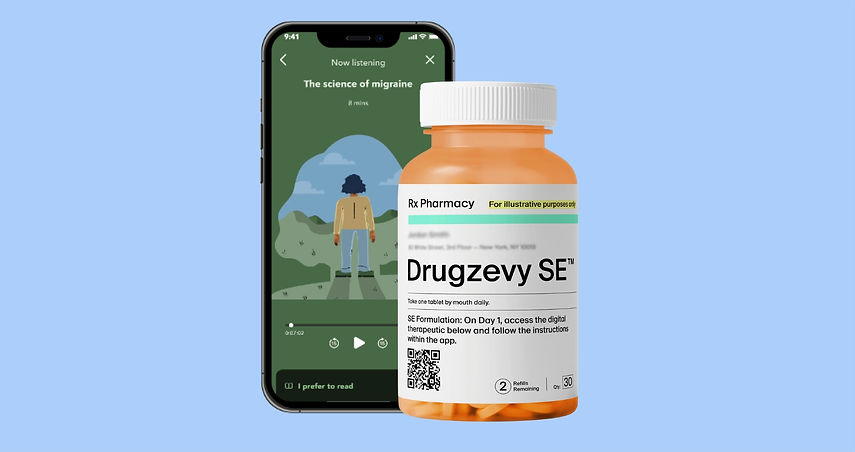
A listening option provides an alternative to dense or text-heavy content that causes disengagement, supports patients who prefer passive learning modes, and builds therapeutic trust through emotionally attuned voice guidance.
A read-aloud feature designed to improve accessibility and support comprehension by offering patients an alternative way to engage with lesson content.
By activating the button, patients can listen to the material instead of reading it, which benefits users with visual impairments, reading difficulties, or different learning preferences.
Check out our prototype!
View my other work!

